Quality control
Boro VoD

Automated Quality Control Software for VoD mediafiles.
The QC system detects errors and performs comprehensive compliance checks against industry standards and technical requirements set by streaming services, broadcasters, content owners, OTT platforms, and studios.


Automate your QC checks
Eliminate manual QC and streamline media file preparation

Detect artifacts early
Before they become visible to viewers

Ensure standards compliance
Make sure your media files meet the requirements of platforms and broadcasters

Get detailed reports
Share results or use them for further automation

Scale without limits
Check individual files or massive media libraries, on-premises or in the cloud

Choose a license that fits your project
Pay only for the volume of content you actually check
Elecard Boro VoD quality control
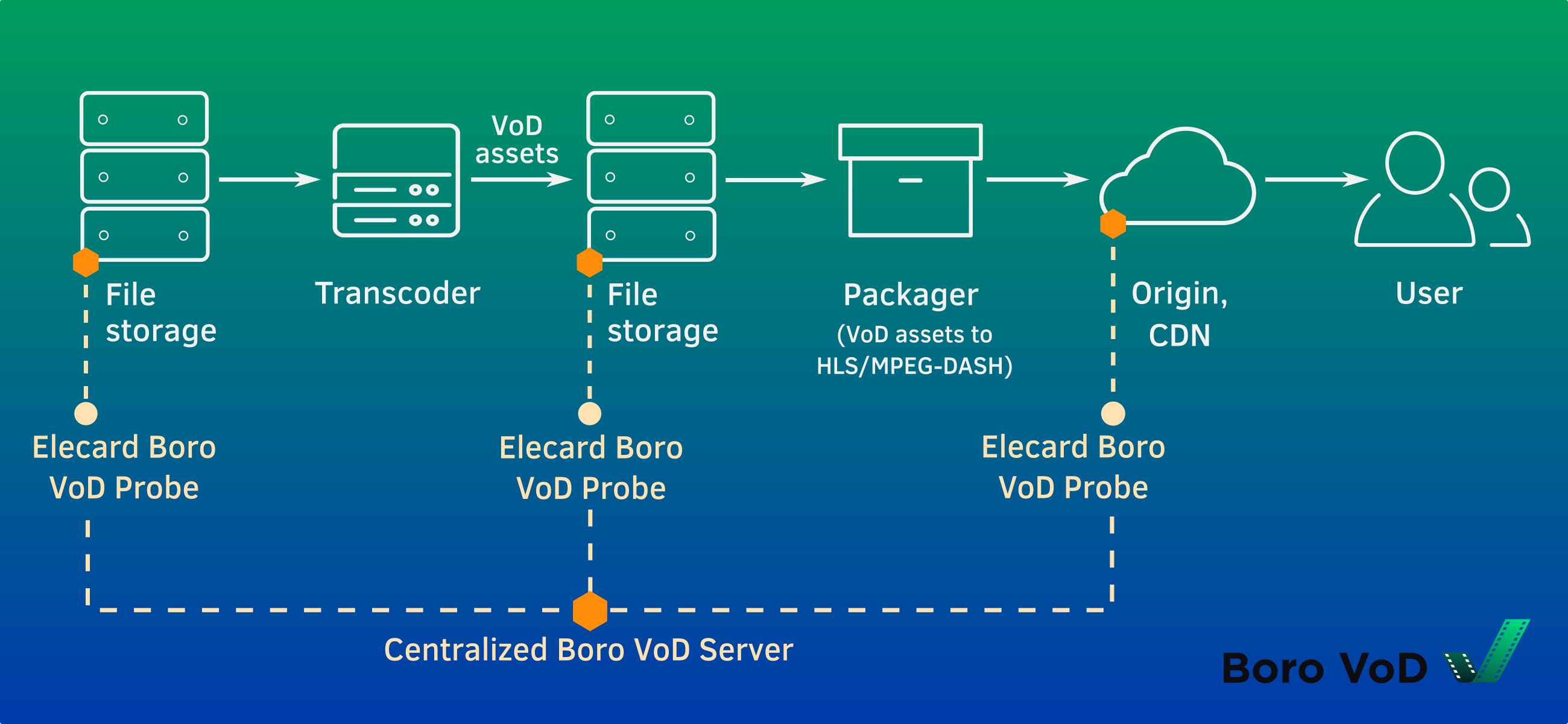
| How Elecard Boro VoD WorksElecard Boro VoD is a client–server QC system consisting of two components: probes and a central server.
|
Key Features
Comprehensive media file validation
Monitor media quality by checking containers, video, audio, and metadata.
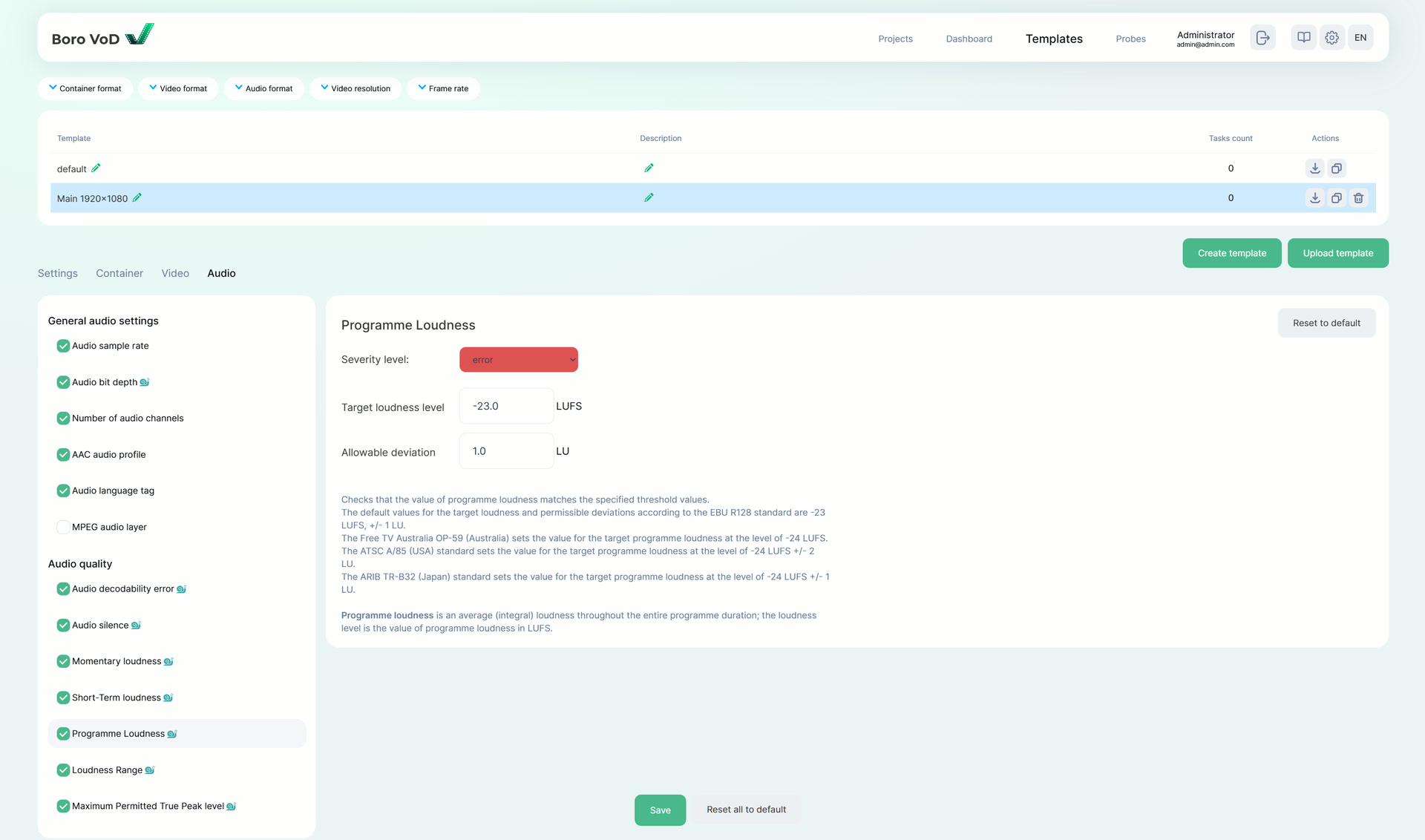
Flexible template system
Validate media files using built-in templates that cover common requirements, or create custom templates.
Detailed reporting
Review results directly in the web interface or export reports in PDF, JSON, or CSV formats.
Seamless workflow integration
Integrate QC checks into any content production and delivery pipeline via a user-friendly web interface and API.
Collaborative project management
Enable teamwork by assigning roles and managing access to tasks.
Efficient processing at scale
Handle heavy workloads and large media libraries with ease by leveraging multi-core systems and task distribution across cluster probes.
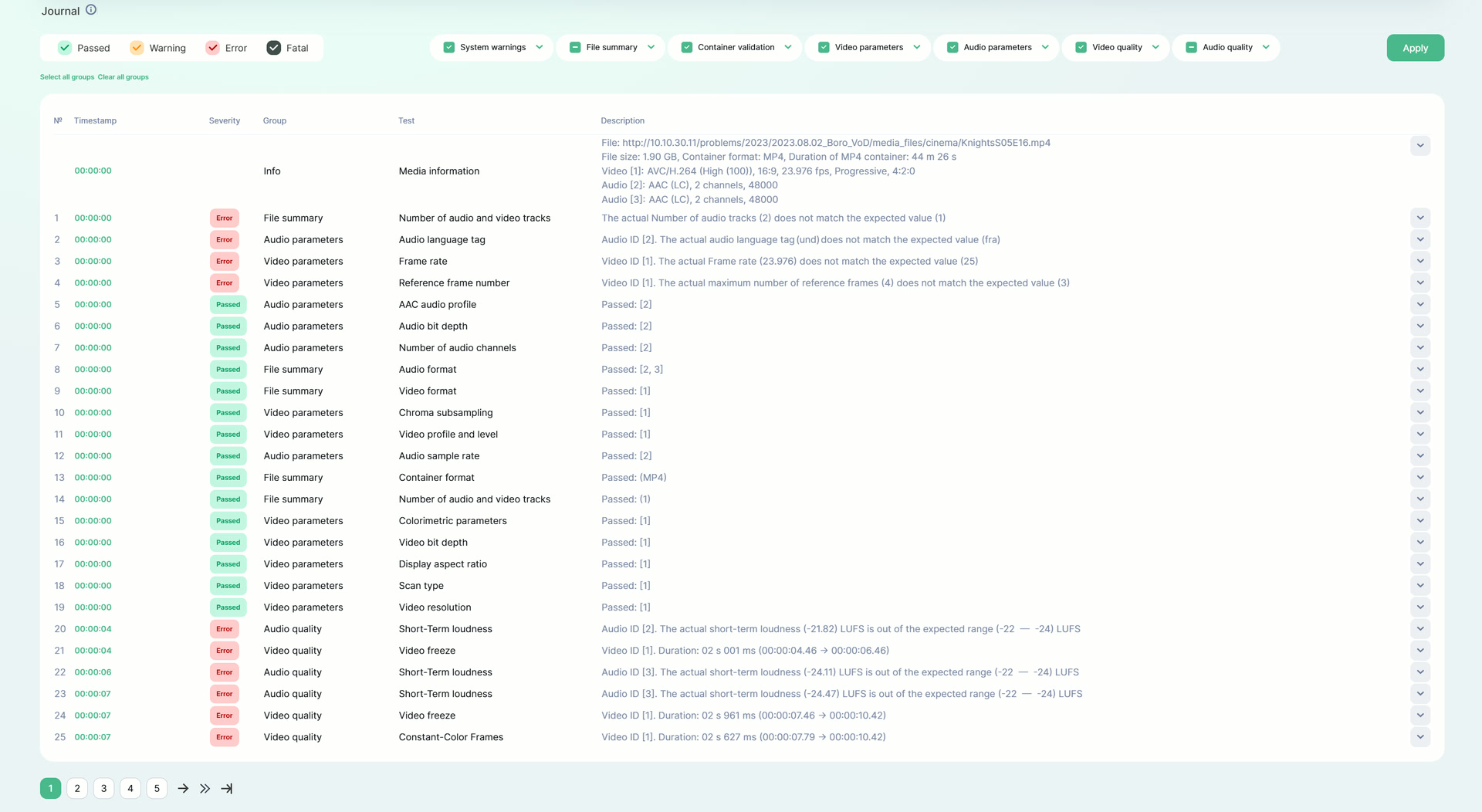
Detailed error logging with precise timestamps
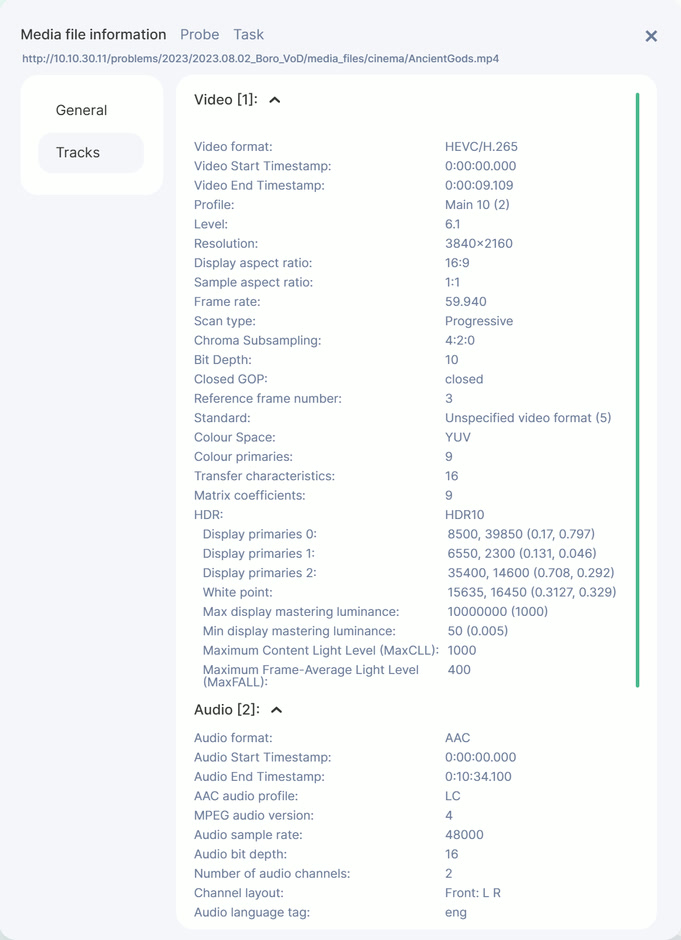
Media information for each file
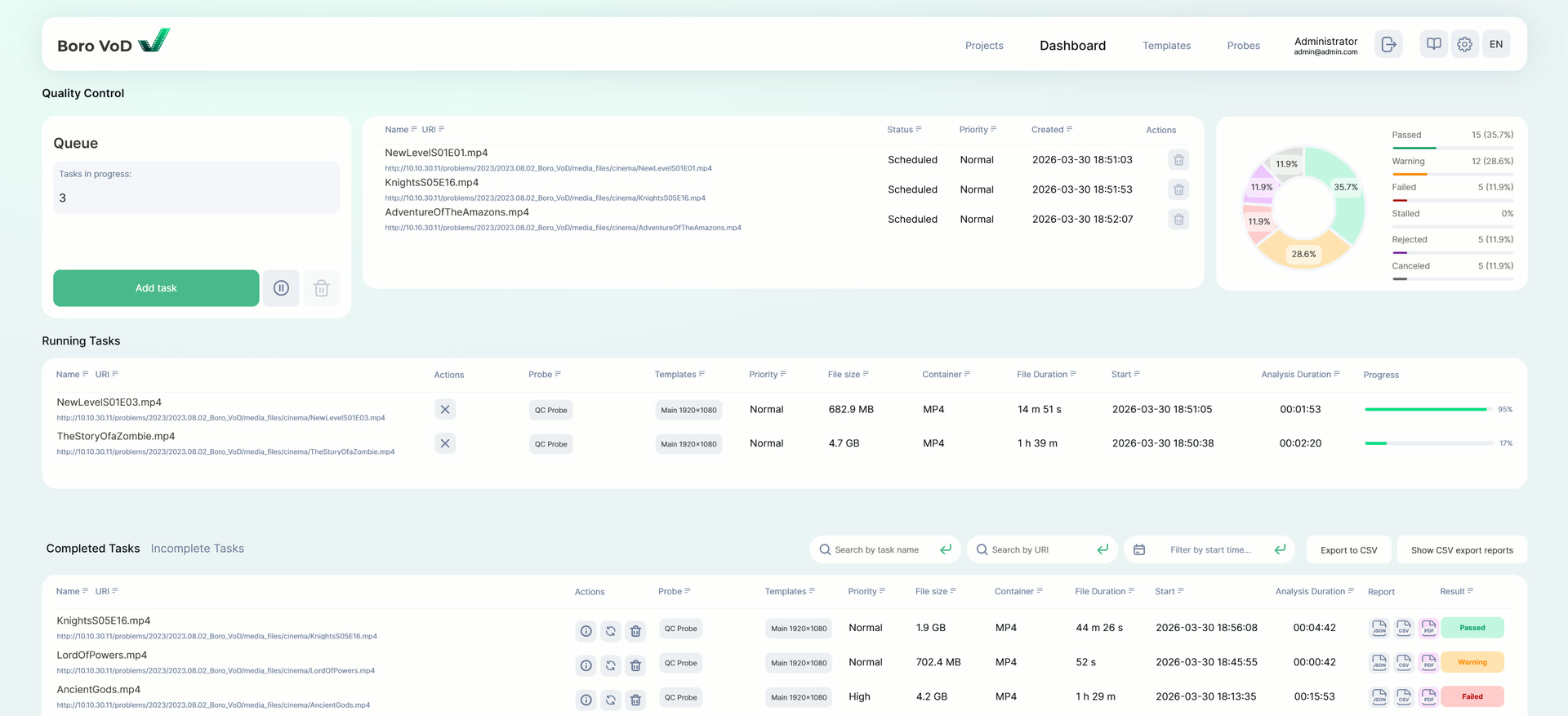
A unified QC dashboard — from task creation to analysis results
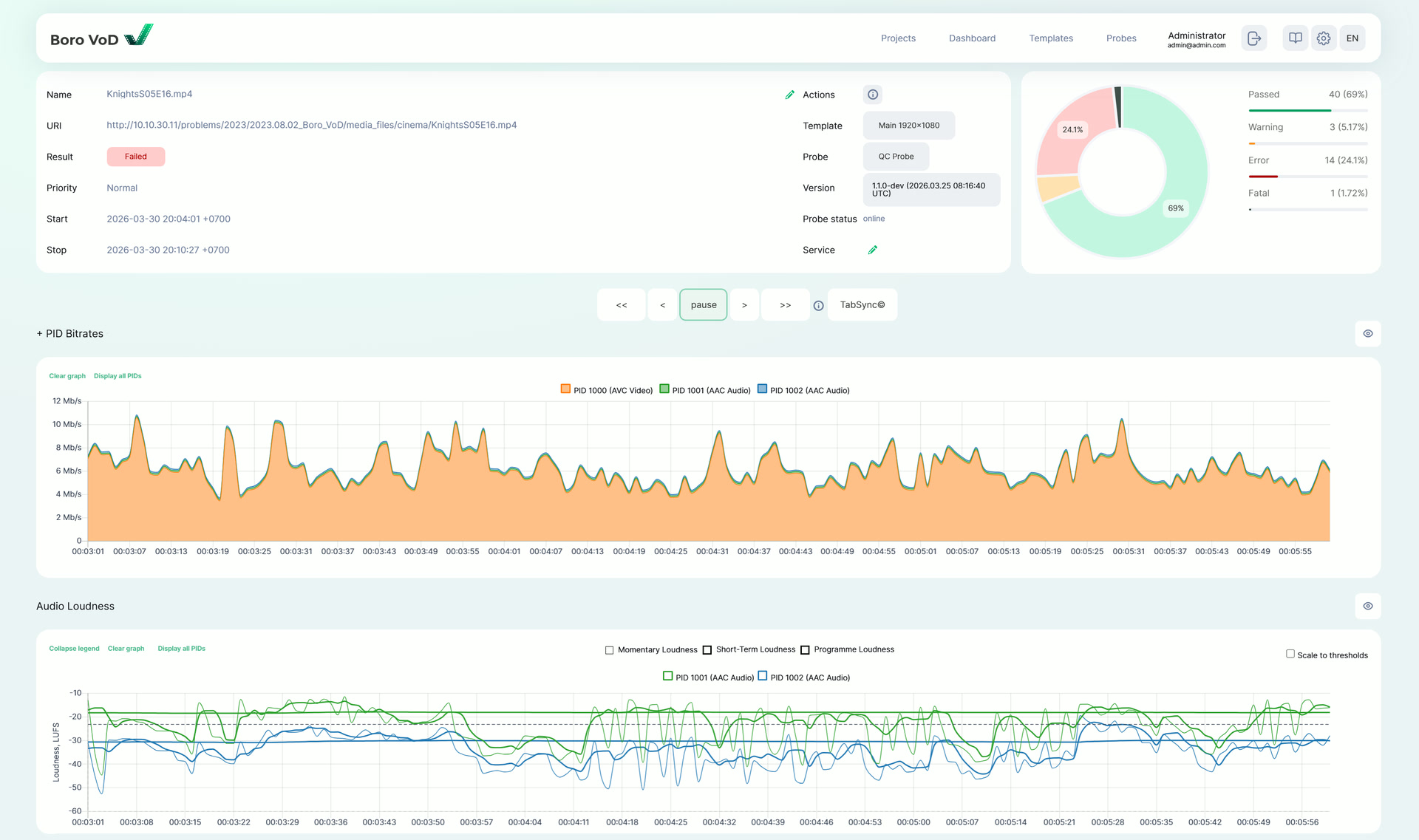
Clear data visualization: bitrate graphs, EBU R 128 loudness levels, and video frame thumbnails
Validate with 70+ Parameters and Error Checks
Container
- File size
- Container format
- File extension
Video
- Video resolution
- Video profile and level
- Chroma subsampling
Container
- File size
- Container format
- File extension
- Video format
- Audio format
- Number of audio and video tracks
- Audio and video start timestamp
- Audio duration
- Video duration
- Audio and video duration mismatch
- Duration of MP4 container
- MP4 Boxes Check
- Timescale in MP4
- Audio timestamp discontinuity
- Video timestamp discontinuity
- Container and elementary metadata mismatch
Video
- Video resolution
- Video profile and level
- Chroma subsampling
- Video bit depth
- Scan type
- Scan order
- Display aspect ratio
- Frame rate
- Average bitrate
- Closed GOP
- HDR format
- Video freeze
- Black Frames
- Constant-Color Frames
- Color bars test pattern
- Decodability errors
Audio
- Audio sample rate
- Audio bit depth
- Number of audio channels
- AAC audio profile
- MPEG audio layer
- Audio language tag
- Audio silence
- Decodability errors
- Momentary loudness
- Short-Term loudness
- Programme Loudness
- Loudness Range
- Maximum Permitted True Peak level
Software and Hardware specifications
Supported formats
- Media containers:
- MP4, MOV
- Video:
- MPEG-1, MPEG-2, AVC/H.264, HEVC/H.265
- Audio:
- AAC, MPEG Audio
System requirements for server
- Minimum Requirements:
• OS: Rocky Linux 9, AlmaLinux 9, RHEL 9 (Minimal Install)
• CPU: 4 cores, 3 GHz
• RAM: 16 GB
• HDD: 300 GB
• Ethernet: 1 Gbps
System Requirements for probe
- Minimum requirements:
- • OS: Linux 64bit + glibc-2.27 and higher (Ubuntu 20.04, Debian 11, Rocky Linux 8, AlmaLinux 8, RHEL 8 and higher)
• CPU: 8 cores. Processors with SSE2 support (Intel® Core i5, Intel® Xeon, AMD® Ryzen, AMD® Epyc)
• RAM: 16 GB
• HDD: 128 GB
• Ethernet: 1 Gbps
Supported browsers
Chromium, version 109 and later
Google Chrome, version 109 and later
Mozilla Firefox, version 128 and later
Microsoft Edge, version 109 and later
Probe outgoing traffic
• 23/UDP — NTP
• 25/TCP — protocol for sending e-mail messages (SMTP)
• 53/TCP/UDP — DNS
• 80/TCP (required) — used for communication between the client browser and the server
• 8444/TCP (required, default) — used for communication of the probe and the server
Start using BoroVoD

request free trial version
Fill in the form to get trial version

Install software on the server
Follow the steps in User Guide to install the product

Use your 30-day trial
Evaluate encoder possibilities. Contact Elecard engineers if any question occurs

Get a license
Contact Sales Department to get price proposal
Buy & Download
Fill in a short form to get a free demo-version or product price quote.
The license cost for the Elecard BoroVod system depends on the number of hours of content monitored per month.
Related products
StreamEye Studio
Elecard StreamEye Studio is a set of powerful software tools for video quality analysis designed for professional use in video compression, processing, and streaming media industries.
Boro
IPTV Monitoring
Software solution for monitoring the quality of video streams delivered over UDP, RTP, HTTP, HLS, DASH, SRT, RTMP, NDI, and T2-MI over IP, as well as DVB signals. Boro tracks QoS and QoE parameters across all segments of distributed networks. Real-time live stream monitoring.
Resources
- User Guide
- Release Notes
- Datasheet
- Elecard Boro VoD datasheet (PDF, 845.95 KB)
News & Events
We are officially launching Elecard Boro VoD — a professional system for automated quality control of media files. Now, checking massive media libraries for industry standards and technical requirements is a matter of minutes, not hours of manual labor.