Quality control
Boro
IPTV Monitoring
Software solution for monitoring the quality of video streams delivered over UDP, RTP, HTTP, HLS, DASH, SRT, RTMP, NDI, and T2-MI over IP, as well as DVB signals. Boro tracks QoS and QoE parameters across all segments of distributed networks. Real-time live stream monitoring.

Continuous monitoring and analysis
Probes operating 24/7 provide complete network visibility and control

Quick Start
Begin monitoring your streams in less than 20 minutes

Low CAPEX and OPEX
Eliminate specialized equipment costs and reduce network maintenance expenses

Easy to use
Friendly data layout and all the benefits of web interface

Ensure customer loyalty
Build a stable customer base through continuous quality control and quick issue resolution

Flexible licensing
Available as a cloud service or stand-alone solution for local networks
Elecard Boro real-time monitoring
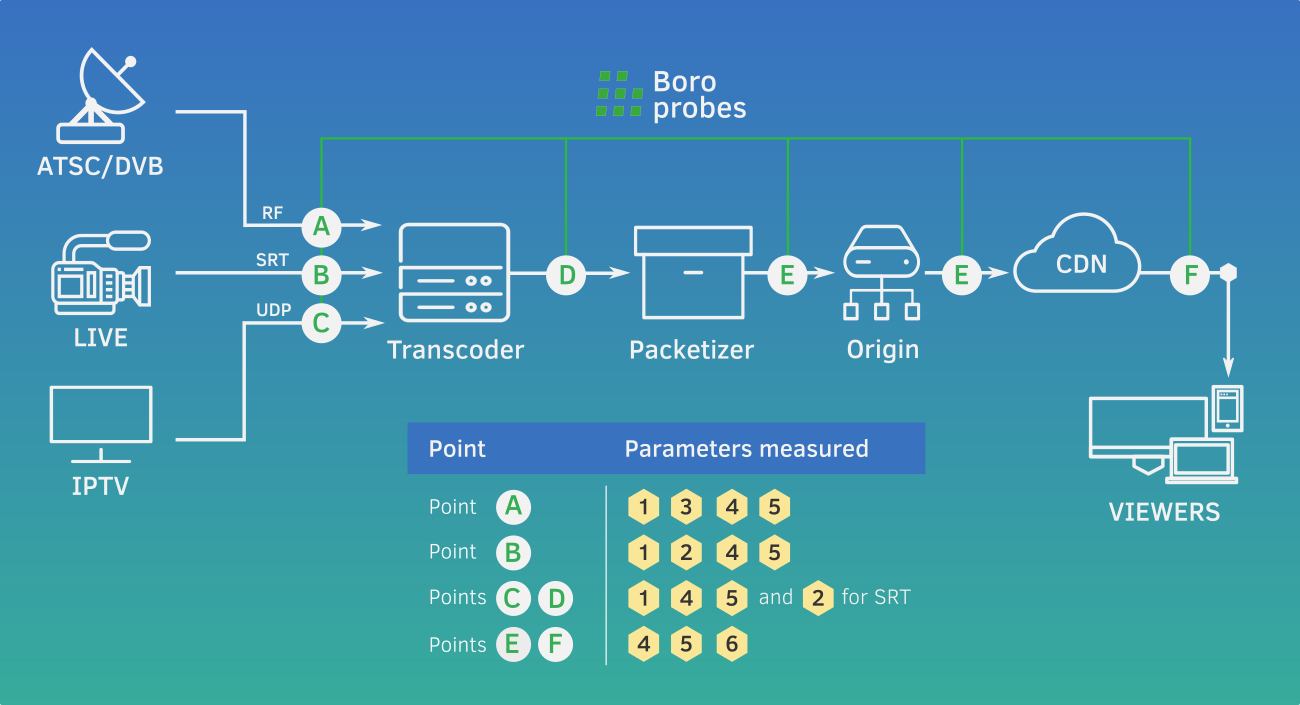
| How it worksBoro is a client-server application consisting of two components: a software probe and a server designed to collect and process statistics.
|
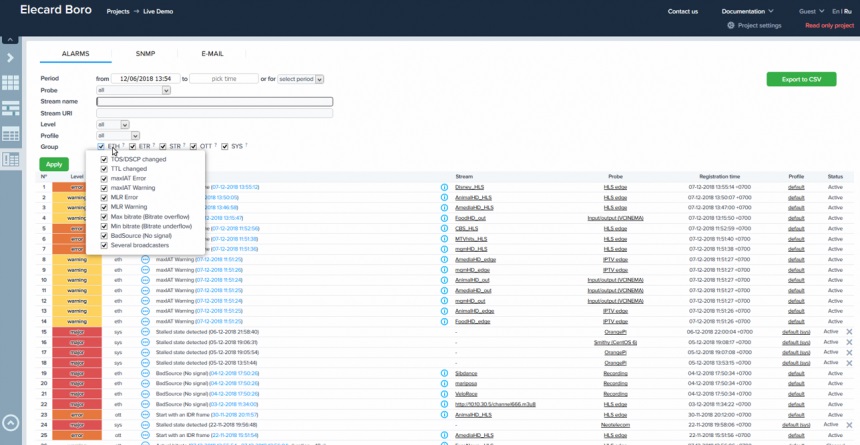
Ethernet parameters
- BadSource (No signal)
- ToS/DSCP Changed
- TTL Changed
- CC errors
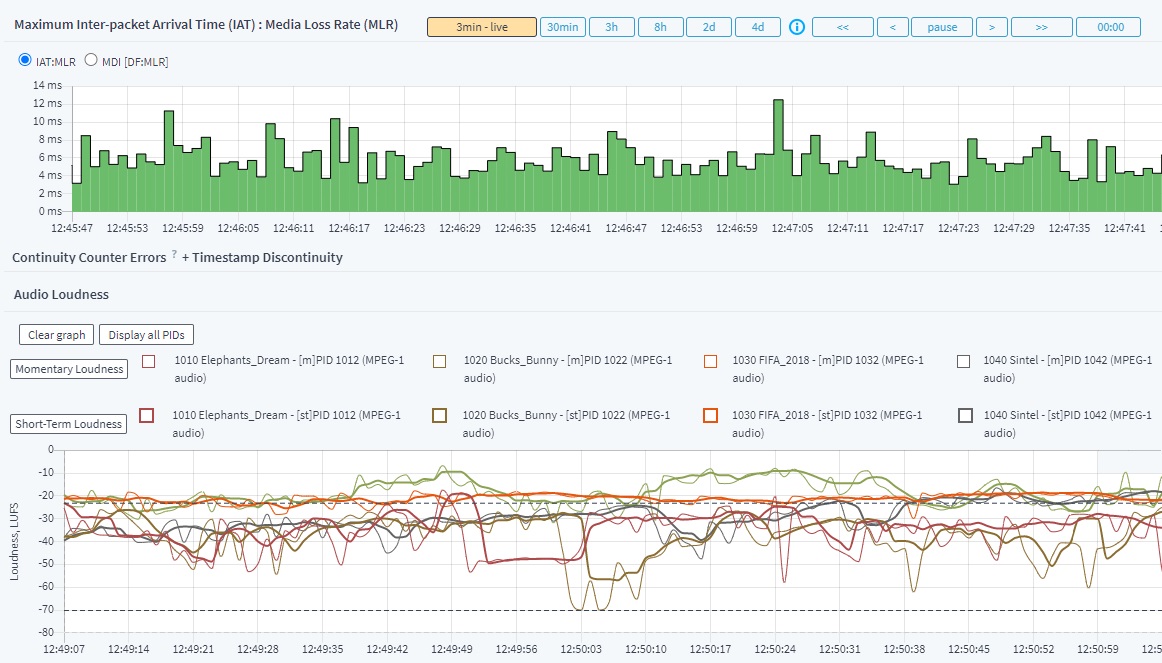
- maxIAT vs MLR Graph
- MLT/MLS
- Input Bitrate Over-/Underflow
- Delay factor (DF)
- IP-jitter estimation
- Several Broadcasters
TR101290 parameters
- Priority 1
- Priority 2
- Priority 3
T2-MI parameters
- SFN Delay
- TR 101 290 Syntax of T2-MI Packets
SRT graphs
- Packet Loss
- Packet Drop
- Packet Receive
- Packet Retransmit
- Retransmit Rate
- Channel Bandwidth
- Smoothed round-trip time (SRTT)
- Receiver Buffer Size
SRT sniffing
- Stream Scaner
- SRC/DST
- Encrypted SRT support
Linux DTV API
- DVB-T/T2/C/C2/S/S2 and ATSC
- Signal Strength*
- SNR*
- BER*
- PER*
DVB parameters
- CC errors
- TR101290 P1, P2, P3
- SDT, BAT, NIT, PSI Parsing
- EMM/ECM Presence
*depends on the card driver
PSI
- Program Specific Information Changed
- Encryption State Changed
- Video Information Changed
- Audio Information Changed
Video
- Invalid Video Elementary Stream
- Video Freeze
- Color Bars
- Black/Monochrome Frames
- Video Decodability Error
- HDR headers
Audio
- Audio Loudness
- Audio Track Missing
- Audio Decodability Error
- Audio Silence
Tags logging
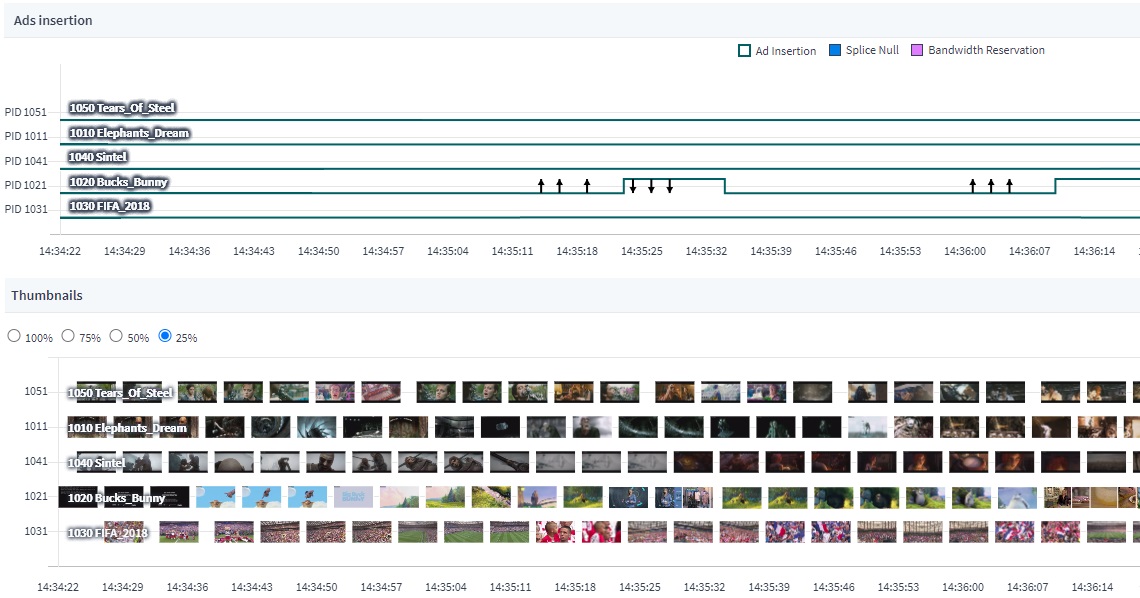
- SCTE-35 Tag in TS
- SCTE-35 Tag in OTT
- Ad Insertion and Return Events
Triggers
- SCTE-35 Ad Insertion Exceeds the Specified Period
- SCTE-35 Tags Parsing Error
- SCTE-35 Contents Error
- SCTE-35 Ad Insertions Are Missing
- SCTE-35 Tags Are Not Present in the Playlist
Variant Streams
- The Number of Variant Streams Changed
- Minimum Variant Streams
- Variant Stream Attributes Changed
- Duplicate Bandwidth in Variant Streams
- Invalid Resolution in Variant Streams
Manifests
- Sequence Divergence
- Few Segments in Manifest
- Static Manifest Error
- Manifest Size Error
- Manifest Error
- Unknown Manifest
- Manifest Download Failure
- Custom Tag Detection
Segments & keys
- Bad Segment Size
- Segment Download Failure
- Key Download Failure
- Segment Loss
Monitored parameters
QoS
- Signal Loss
- Download/Multicast/PID bitrates
- Continuity Counter / MLR
- MLT/MLS
- Ethernet Descriptors (TOS, TTL Src, Dst, Mapping)
- Inter-Packet Arrival Time (IAT)
- Multiple Broadcasting Sources
- Stream Encryption
- Audio and Video Headers
- ETSI TR 101 290 (priority 1, 2, 3)
- In-depth HLS Analysis (more than 25 parameters and triggers)
- Service Availability
- OTT: HTTP timings and source IP registration
QoE
- Video Freeze
- Timestamps Discontinuity
- SCTE-35 Analysis
- Video Thumbnails
- Audio and Video Decodability
- Audio Track Missing
- Audio Silence Error
- EBU R 128
- Video Recording by Event
- IDR Alignment
- HDR header detection
- Сolor bars, black screens, and solid-color frames detection

Functionality
KEY FEATURES
NOTIFICATION SYSTEM
| DATA VISUALIZATION
INTEGRATION
|
Application
OTT TV, IPTV, and VOD
- Ensure availability of all streams across the network
- Locate defective segments of the delivery network
- Monitor headend signal
- Verify stream compliance with technical requirements
Monitor live broadcasting
Transcoding
- Monitoring of transcoding, multiplexing, and encryption systems at headend broadcasting stations
- Check equipment performance and quality, and adjust settings
DVB-streaming
- Quality monitoring for multi-program streams (MPTS)
- Control over signal delivery to QAM modulator
Multimedia servers QA
- Load and stress tests of content distribution servers using HTTP/HLS protocols
- Quality assurance for video equipment
Ad insertion control
- Ad insertion control in the video stream using SCTE-35
CCTV and Surveillance
- Image quality control
- Stream integrity control: video substitution and freezing
- Identify defective segments of the delivery network
Licensing & Pricing
Monthly or Quarterly Subscription
Boro Service is a cloud service for video stream monitoring and analytics, with statistics stored on Elecard servers.
Designed for:
Fast deployment without the need to build and maintain your own infrastructure.
Subscription Options:
Regular and Advanced
The Advanced plan includes all Regular features, plus:
- API access
- DataMiner integration
- Extended statistics retention—up to 40 days of historical data
- Custom configuration of task profiles and probe settings on initial project launch
Perpetual License
Boro Solution is a stand-alone solution comprising a server and probes to be installed within the local network.
designed for:
Projects with enhanced security and data control requirements.
Pricing depends on the number of streams analyzed simultaneously.
Check the detailed versions' comparison, their key features and possibilities.
Start using Boro

Sign up
Register on the website to create your account. You may launch an unlimited number of projects and manage them using your account. Create your first project.

set up boro probes
Download the Boro probe for a chosen platform. Install it on your PC/server at the point where you want the signal to be analyzed, as described in the manual. Set up the configuration file.
Start using BORO
The Boro probe automatically establishes a connection with the Boro server, generates real-time reports available in your account, and delivers notifications via email and SMS.

Get a license
Contact the Sales Department to receive a price quote for your project.
Software and Hardware specifications
Supported formats and protocols
- Protocols:
- UDP, RTP, HTTP, HLS, MPEG-DASH, SRT, RTMP, DVB, AWS DASH, NDI
- Video:
- MPEG-2, AVC/H.264, HEVC/H.265
- Audio:
- AAC, MPEG-1 Audio (Layer 1/2/3)
- Transport/Container:
- MPEG-2 TS (SPTS/MPTS), fMP4, T2-MI over IP
System Requirements
- Minimum hardware requirements:
• SSE2 support (Intel® Pentium 4 and higher, AMD® Opteron and Athlon 64 and higher)
- Software requirements:
• Windows 8/8.1/10/11 64-bit, Server 2008/2012 64-bit
• Linux 64bit + glibc-2.27 and higher (Ubuntu 18.04/Debian 10 or newer, RHEL/CentOS/AlmaLinux/Rocky Linux 8 or newer, Amazon Linux 2023 or newer)
Supported browsers
Chromium, version 54 and later
Google Chrome, version 54 and later
Mozilla Firefox, version 47 and later
Minimum screen resolution: Full HD.
Probe outgoing traffic
• 53/TCP/UDP (required)—DNS
• 443/TCP (required)—used for communication of the probe and the server
• 3478/UDP, 19302/UDP—used for establishing the connection between the probe and a user's browser for downloading recordings. WebRTC Technology
• 162/UDP (default)—used for sending SNMP trap messages. Port can be configured on the SNMP notifications settings page
• 8443/TCP (required, default)—used for probe-server communication for Boro Solution

Resources
- Quick Start
- User Guide
- End User License Agreement
- Release Notes
- Datasheet
- Elecard Boro datasheet (PDF, 4.67 MB)
- White Papers
- How to Keep Streaming Quality High: 5 Real-World Troubleshooting Scenarios (PDF, 1.61 MB)
- Major Metrics and key indicators of faults and malfunctions in OTT and IPTV media content delivery (PDF, 8.90 MB)
- Elecard's Broadcasting Excellence Across Major Sporting Events (PDF, 1.54 MB)
- CDN Performance Monitoring: Ensuring Stable Content Delivery (PDF, 1.43 MB)
- Service status
Video
 What's New in Elecard Boro 3.0: SRT Sniffing, NDI, T2-MI & More
 RTMP Pull, Multi-Period Manifest and Sound Notifications: Boro v2.2
 How to setup video quality control solution
 How to start tasks for IPTV monitoring
 How to start tasks for OTT monitoring
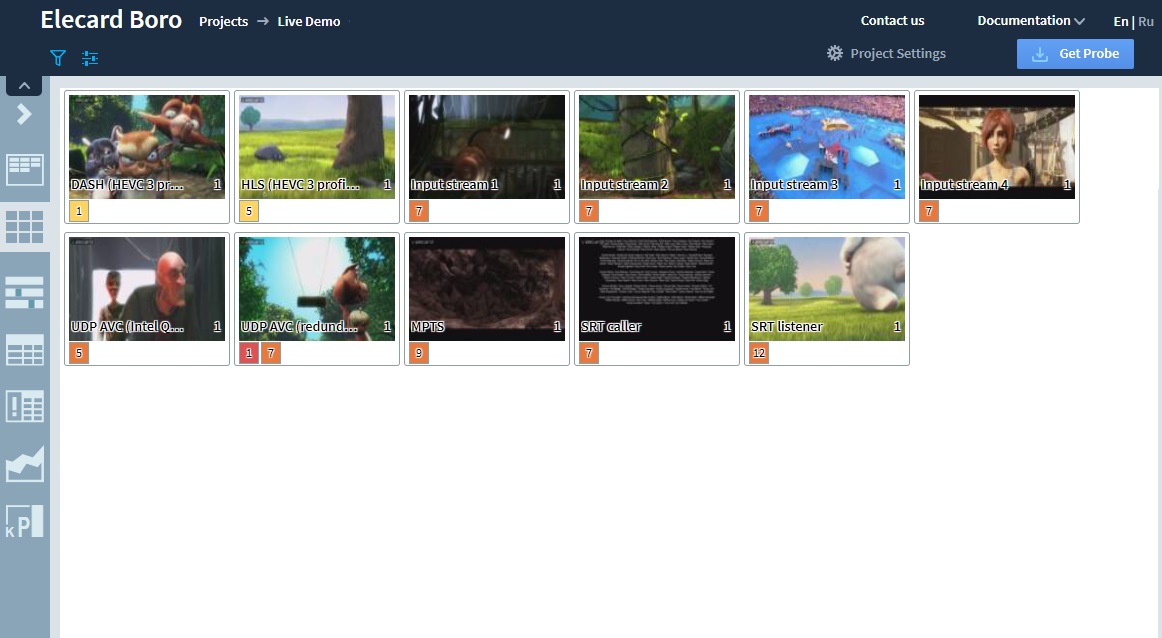
 Webinar about Mosaic View in Elecard Boro
 Starting Boro probe as a daemon in Linux or as a Windows system service
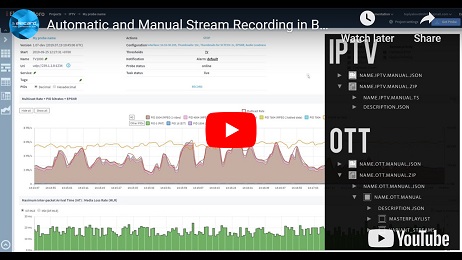 Automatic and Manual Stream Recording
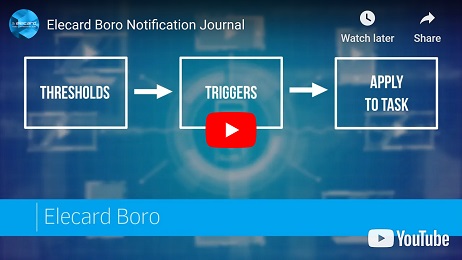 Elecard Boro Notification Journal
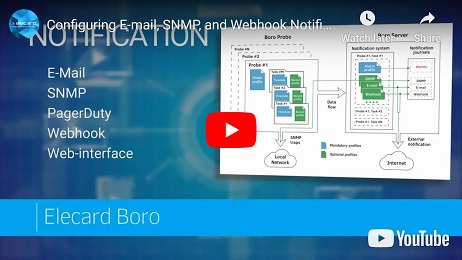 Configuring E-mail, SNMP, and Webhook Notifications in Boro monitoring solution
 Telegram notifications in live stream monitoring solution
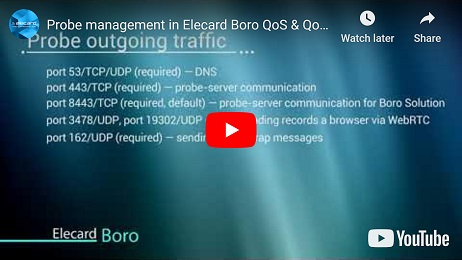 Probe management in Elecard Boro QoS & QoE monitoring system
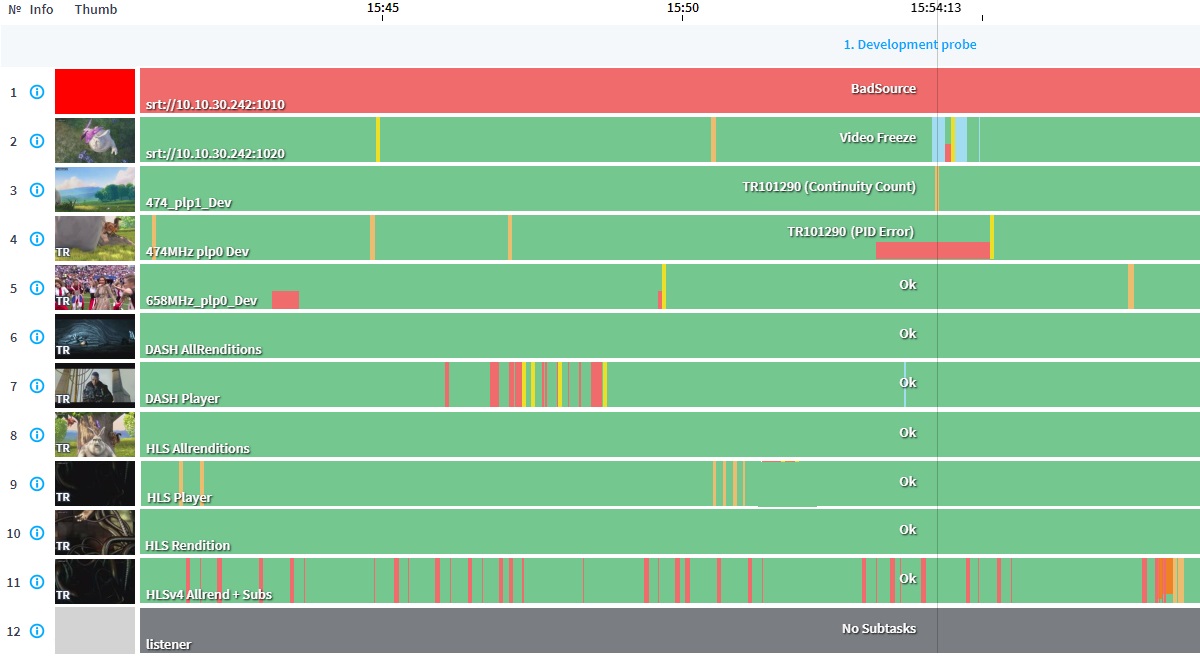
 Elecard Boro: KPI and reports
 Task management in Elecard Boro
Testimonial
All testimonialsNews & Events
We’ve released Elecard Boro 3.0 — a major update to our monitoring system for broadcast and OTT streams. The new version introduces SRT sniffing, adds automation and UI improvements that make everyday monitoring easier.
We’re excited to announce Elecard’s participation in the 4K HDR Summit 2025, the world’s leading event where technology and content come together to shape the future of ultra-high-definition media. Join us in Seville TechPark on November 11–14, 2025.
Our Customers
We are proud to be bringing our multimedia technologies knowledge and expertise to more than 9K companies in the world.