How to generate report from Sentinel

How to generate report from Sentinel

February 12, 2020
Software activation 10 016 views

If you have any problems with Elecard StreamEye Studio activation, please generate report from Sentinel.

1. Go to http://localhost:1947/_int_/diag.html and click on Generate Report.
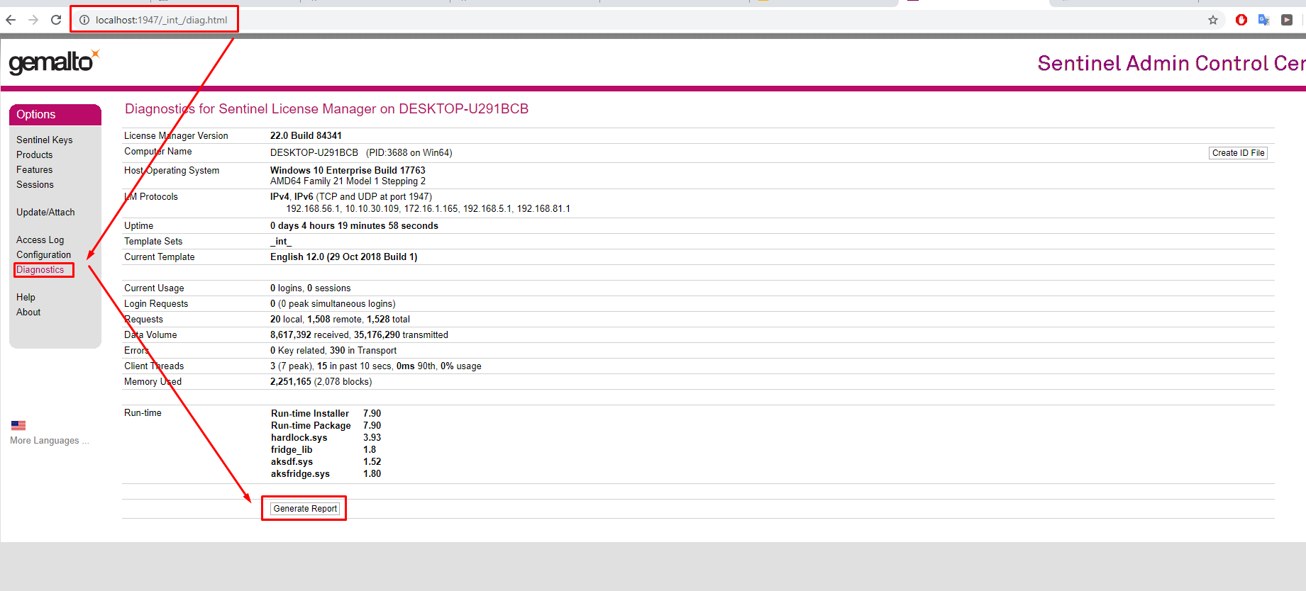
Elecard StreamEye Studio activation

2. Press Ctrl + P and save diagnostics info to .pdf file.
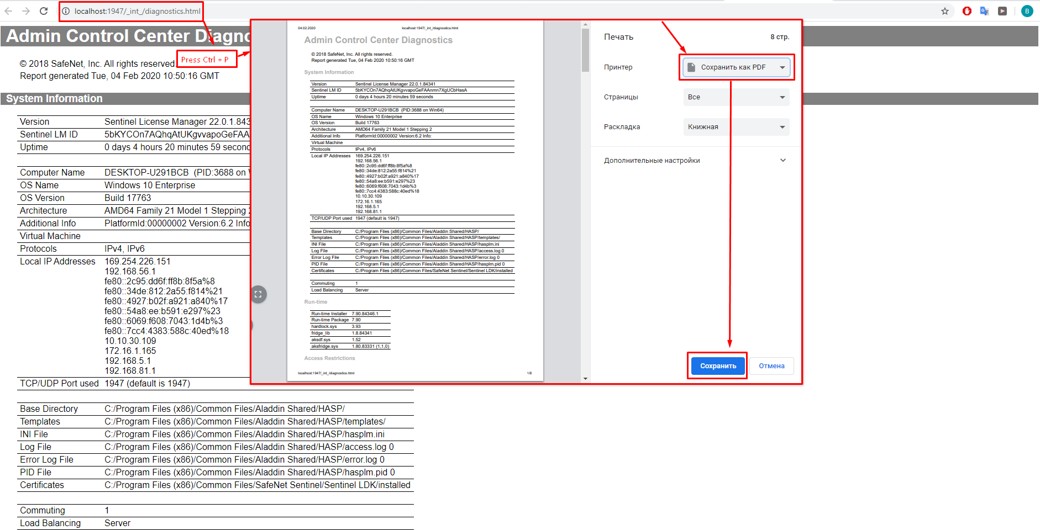
diagnostics

Resources

On the topic

Product:StreamEyeStreamEye StudioYUV ViewerStream AnalyzerVideo Quality Estimator
Category:Software activation

Feedback

Related questions

More questions?

Chat nowAsk a question